Paperpile

Paperpile

Paperpile is a web-based reference manager designed for researchers, students, and academics. It allows you to collect, organize, and read research papers, manage PDFs, and generate citations and bibliographies in Google Docs and Microsoft Word. With features like automatic metadata extraction, full-text search, PDF annotation, and collaboration tools, it streamlines the research workflow. Integrates with Google Drive, academic databases, and offers mobile apps for iOS and Android.

Search
Visit website
Added on
Jul 13, 2026
Web-basedGoogle Drive syncPDF managementCitation generatorFull-text searchTeam collaborationBibTeX exportAI integrations
Product information

Everything worth knowing about Paperpile

The complete picture β€” from everyday features to the technical detail builders and IT folks dig for.

Core features

What it actually does

Browser-Based Reference Manager
Full-featured reference and PDF management system that operates directly in your web browser with Google Drive sync, eliminating local software installation.
Google Docs & Word Integration
Seamless citation and bibliography insertion within Google Docs and Microsoft Word via dedicated plugins, with real-time sync to your central library.
Full-Text PDF Search & Annotation
Index and search across the full text of all uploaded PDFs. Add highlights, notes, and annotations directly on PDFs, synced across devices.
Collaborative Shared Libraries
Create shared folders and full libraries with granular permissions for team collaboration, including shared PDF annotations and citations.
Technical capabilities
Advanced PDF Metadata Extraction
Proprietary heuristic algorithms automatically extract and correct bibliographic metadata (authors, title, journal) from uploaded PDFs, even for poorly formatted files.
BibTeX & LaTeX Workflow Automation
Deep integration with BibTeX and LaTeX workflows, including customizable citation key generation, automatic .bib file syncing, and direct Overleaf integration.
AI Integration Layer
API and extension hooks for AI assistants (ChatGPT, Claude, etc.) to query and analyze your Paperpile library, enabling 'Ask AI' features directly from saved PDFs.
Must watch videos
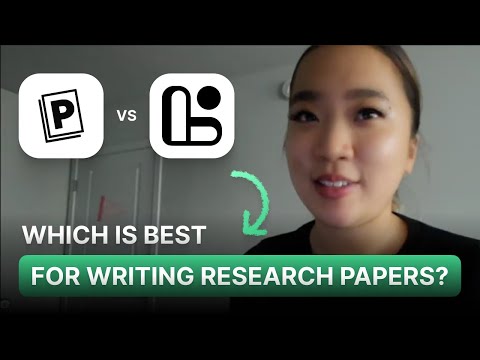
Paperpile vs. Logically: Which AI Research Tool Is Better for Academic Writing in 2026?
8:35
Comparison8:35
Paperpile vs. Logically: Which AI Research Tool Is Better for Academic Writing in 2026?
Check out this Logically alternative: https://logically.app The AI tools you rely on for research can shape how efficiently you read, write, and manage academic work. In this 2026 comparison, we take a closer look at Paperpile and Logically, two AI-powered platforms designed to help students and researchers simplify their workflows and stay organized. We’ll compare how each tool handles essential research tasks, from discovering scholarly articles and organizing citations to annotating documents and drafting structured academic writing, so you can decide which platform best aligns with your study habits, writing style, and academic goals. πŸ“² Follow us: LinkedIn: https://www.linkedin.com/company/logicallyapp Reddit: https://www.reddit.com/r/LogicallyApp/ YouTube: https://www.youtube.com/@logicallyapp ⏱️ Timestamps: 0:00–0:35 Intro 0:35–1:51 What Is Logically 1:51–3:01 What Is Paperpile? 3:01–3:53 Discovering Sources Comparison 3:53–4:32 Organizing References Comparison 4:32–5:31 Annotation Comparison 5:31–6:17 Writing Papers Comparison 6:17–7:43 Cost 7:43–8:38 Final Verdict πŸ”– Tags: Logically vs Paperpile, Paperpile AI for research, Logically AI research tool, AI academic writing tools 2026, best AI tools for students 2026, literature review AI, Paperpile tutorial, Logically app review 2026, research productivity software, academic workflow optimization, AI tools for PhD students, academic writing tools 2026, AI summarization comparison 2026, best AI tools for research, Paperpile vs Logically comparison
How To Use Paperpile AI for Academic Research Workflow
1:03
Tutorial1:03
How To Use Paperpile AI for Academic Research Workflow
Discover how to leverage Paperpile AI to enhance your academic research and literature review process. This comprehensive guide covers integrating Paperpile AI into your workflow, managing citations, and utilizing its smart features to boost productivity. Understand its capabilities and best practices to make an informed decision for your research needs. Optimize your academic journey with Paperpile AI.#PaperpileAI #AcademicResearch #ResearchTools #AITools #LiteratureReview
Manage Your Citations Like a Pro: Paperpile Full Walkthrough & Tutorial
7:21
Tutorial7:21
Manage Your Citations Like a Pro: Paperpile Full Walkthrough & Tutorial
In this video, Nath gives you a complete walkthrough of Paperpile, a powerful reference manager for academic writing. Everything from using the web app and Chrome extension to organising references with folders and labels, and citing sources in Word, I’ll show you everything you need to streamline your research process, including the mobile apps for iOS and Android. Get 20% off a 1 year Paperpile personal subscription with coupon code PhDPlace20 (valid for 3 months from date of video release): https://paperpile.com/?welcome You can sign up for a 30 day trial of Paperpile here: https://paperpile.com/ Thank you for watching! Follow Paperpile: Twitter/X: https://twitter.com/paperpile Follow The PhD Place: Twitter/X: https://x.com/ThePhDPlace Threads: https://www.threads.net/thephdplace Instagram: https://www.instagram.com/thephdplace Facebook: https://www.facebook.com/thephdplace TikTok: https://www.tiktok.com/@thephdplace Video Chapters: 1:00 - Using the Paperpile Web App 1:49 - Organising References with Folders and Labels 2:20 - Importing and Adding References 2:50 - Using the Browser Extension 3:50 - Citing References in Word 4:49 - Paperpile Mobile Apps for iOS and Android

Who uses it

Real use cases, no hype
Collect Papers on the Fly
Save references from any publisher page or database with one click.
Organize Your Research Library
Automatically extract metadata, rename files, and keep PDFs tidy.
Cite While You Write
Insert citations and generate bibliographies directly in Google Docs or Word.
Collaborate with Peers
Share folders and libraries to work together on writing projects.
Read and Annotate Anywhere
Highlight, add notes, and access papers on mobile devices.
Unlock Full-Text Search
Search across the entire content of all your PDFs in seconds.
Leverage AI Assistance
Send key PDFs to ChatGPT or NotebookLM for instant analysis.
What's great
  • Best-in-class Google Docs integration
  • Automatic PDF metadata extraction
  • Unlimited PDF storage
Technical strengths
  • Full-text search across entire PDF library
  • Built-in off-campus proxy access
  • PDF annotation with highlights and notes
Where it falls short
  • Only web-based, no native desktop app
  • Requires Google account to use
  • No stable Safari/Firefox extension yet
Technical limitations
  • Custom citation styles locked to Expert plan
  • Overleaf integration missing in Regular plan
  • Annual-only billing, no monthly option
For technical folks

The deep-dive specs

Core Architecture
Cloud-native SaaS application built on Google Cloud Platform, primarily using JavaScript/TypeScript for the frontend.
Data Storage & Sync
Uses Google Drive as primary storage backend for PDFs and metadata; maintains a centralized sync engine for real-time library updates.
PDF Processing Engine
Proprietary server-side pipeline for metadata extraction, text extraction, and PDF indexing using heuristics and ML models.
Citation Style Support
Over 10,000 CSL (Citation Style Language) styles, with support for custom and organizational styles.
Authentication
OAuth 2.0 via Google Accounts exclusively; Enterprise adds SAML/SSO support.
API & Extensibility
Limited public API; primary extensibility is through browser extensions and direct integrations (Google Scholar, OpenEvidence, AI tools).

FAQ

Includes technical Q&A
No, all our plans are billed annually.

Traffic Insights

Monthly Visits

β€”

July 2026

Growth Rate

0%

vs last month

Dominance

0%

in Search

Top Country

β€”

Top Countries

β€”

Growth Trend

Stable

Traffic has remained stable.

Honest pricing

No sneaky tiers, no β€œcontact sales”

Here's who each plan is actually for β€” and where the hidden charges might hit.

Regular
$8/mo

Individuals

  • Collect and organize your references
  • Store and read your PDFs (Unlimited storage)
  • Cite in all major styles and BibTeX
  • Basic integrations: Word
  • Google Docs
  • academic databases
Expert
Most picked
$11/mo

Individuals & Small Teams

  • All Regular features
  • Full-text search across all PDFs
  • Add notes and PDF annotations
  • Collaborate with shared folders and libraries
  • Save any file type (supplementary material)
  • Advanced integrations and custom citation styles
Enterprise
Custom

Enterprise and Institutions

  • All Expert features
  • Single Sign-On with SAML
  • Advanced security and privacy settings
  • Custom MSA and SLA
  • Vendor security reviews
  • HIPAA compliance
Reviews

What the internet actually thinks

Data refreshed weekly. No paid placements.

Trustpilot
Not reviewed yet
G2
G2
Not reviewed yet
C
Capterra
Not reviewed yet
Product Hunt
Not reviewed yet
COMMUNITY COMMENTS

Leave a Comment

Help others make informed decisions. Your honest feedback shapes the community's understanding of this tool.

Tips for commenting

  • β€’Be specific about features you used
  • β€’Share real use cases and results
  • β€’Mention both pros and cons
  • β€’Keep it honest and constructive
Sign in to leave a comment

Your comment will be published after moderation

Filter by rating:
Sort by:

No comments yet

Be the first to share your experience with this tool.

Alternatives

Not quite the right fit?

Here's what else is out there.
Detail tags
Found via these searches
#ReferenceManager#AcademicWriting#PDFOrganization#CitationTool#ResearchProductivity