AnimateDiff

AnimateDiff

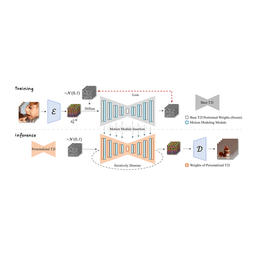
AnimateDiff, accepted as ICLR 2024 Spotlight, is an open-source framework that animates personalized text-to-image diffusion models (like Stable Diffusion) without requiring per-model fine-tuning. It achieves this by adding a motion modeling module to the base model, which is trained on video clips to learn motion priors. Once trained, this module can be plugged into any community model to enable text-driven animation generation. Key features include support for multiple model versions (v2, v3, SDXL beta), MotionLoRA for controlled camera movements (zoom, pan, tilt, roll), and SparseCtrl for spatial control via sparse RGB or sketch inputs. The tool is designed for AI researchers, ML engineers, and content creators who want to generate high-quality animations from text prompts while leveraging existing text-to-image models without additional tuning.

Video Generation
Visit website
Added on
Jul 13, 2026
Motion modulePlug-and-playSD1.5 stableSDXL betaMotionLoRASparseCtrlICLR 2024
Product information

Everything worth knowing about AnimateDiff

The complete picture — from everyday features to the technical detail builders and IT folks dig for.

Core features

What it actually does

Animate Static Images
Transform personalized text-to-image models into animation generators without model-specific tuning.
Plug-and-Play Integration
Inject motion module into any compatible Stable Diffusion checkpoint with no retraining required.
Community Model Support
Works with popular community models like ToonYou, Realistic Vision, majicMIX, and others.
MotionLoRA Control
Control camera movements including zoom, pan, tilt, and roll with lightweight LoRA adapters.
SparseCtrl Control
Guide animations using sparse RGB images or sketch inputs for precise content control.
Technical capabilities
Domain Adapter Training
LoRA-based finetuning to alleviate negative effects from training watermark artifacts.
Motion Module Architecture
Temporal blocks inserted into frozen UNet to learn real-world motion patterns from videos.
Must watch videos
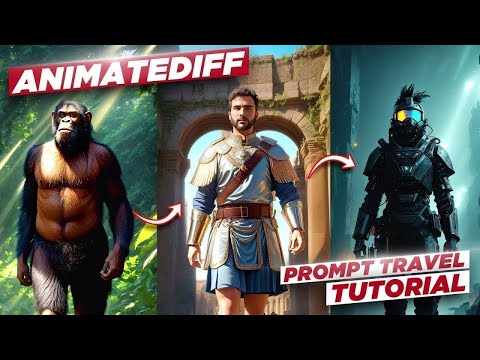
How to Generate REALISTIC AI Animations | AnimateDiff & ComfyUI Tutorial
11:02
Tutorial11:02
How to Generate REALISTIC AI Animations | AnimateDiff & ComfyUI Tutorial
Create really cool AI animations using Animatediff. this video covers the installation process, settings, along with some cool tips and tricks, so you can get some really impressive results. ComfyUI AnimateDiff Guide/Workflows: https://bit.ly/45zwqGn MAC/AMD guide: https://bit.ly/3LM1hbN SD-Latent-Upscaler: https://bit.ly/46veVbt VAE: https://bit.ly/3LRLM1X Motion module v15 v2: https://bit.ly/3FhYBPt TemporalDiff module: https://bit.ly/3S2t23F ⚙️My workflow(with upscaler node): https://bit.ly/3LZTkzI ⚙️Final workflow: https://bit.ly/48Vm1aM Models: Dreamshaper: https://civitai.com/models/4384/dreamshaper Art Universe: https://civitai.com/models/123313/art-universe RPG artist tools: https://civitai.com/models/8124/a-zovya-rpg-artist-tools 🔗 Software & Tools: Convert WebP to MP4: https://ezgif.com/webp-to-mp4 Topaz Video AI: https://bit.ly/3t04Otl How to find prompts: https://youtu.be/kmZ5S2X55fU AnimateDiff Discord: https://bit.ly/48Vnpdu MDMZ's Discord: https://bit.ly/3qixniz ©️ Credits: Inner reflections: https://www.youtube.com/@Inner-Reflections-AI Disclaimer: Some links in the description are affiliate links. If you make a purchase through them, I may earn a small commission at no extra cost to you. ⏲ Chapters: 0:00 In this tutorial... 0:26 Install ComfyUI + AnimateDiff 3:37 Loading workflows 5:09 Settings 8:26 Generate Animation 9:15 How to upscale 10:25 Share your animations 10:34 Final thoughts Support me on Patreon: https://bit.ly/2MW56A1 🎵 Where I get my Music: https://bit.ly/3boTeyv 🎤 My Microphone: https://amzn.to/3kuHeki 🔈 Join my Discord server: https://bit.ly/3qixniz Join me! Instagram: https://www.instagram.com/JustMDMZ Tiktok: https://www.tiktok.com/@justmdmz Twitter: https://twitter.com/JustMDMZ Facebook: https://www.facebook.com/medmehrez.BSS/ Website: http://medmehrez.com/ #stablediffusion #aianimation #animatediff Who am I? ----------------------------------------- My name is Mohamed Mehrez and I create videos around visual effects and filmmaking techniques. I currently focus on making tutorials in the areas of digital art, visual effects, and incorporating AI in creative projects.
How to AI Animate. AnimateDiff in ComfyUI Tutorial.
27:46
Tutorial27:46
How to AI Animate. AnimateDiff in ComfyUI Tutorial.
Text2Video and Video2Video AI Animations in this AnimateDiff Tutorial for ComfyUI. Install Local ComfyUI https://youtu.be/KTPLOqAMR0s Use Cloud ComfyUI (affiliate): https://www.thinkdiffusion.com/?via=sebastian Workflows https://civitai.com/articles/2379/guide-comfyui-animatediff-guideworkflows-including-prompt-scheduling-an-inner-reflections-guide AnimateDiff Models https://huggingface.co/guoyww/animatediff/tree/main ControlNet Models https://huggingface.co/lllyasviel/ControlNet-v1-1/tree/main FFmpeg Guide https://www.wikihow.com/Install-FFmpeg-on-Windows FFmpeg Download https://www.gyan.dev/ffmpeg/builds/ Prompt styles for Stable diffusion a1111 & Vlad/SD.Next: https://www.patreon.com/posts/sebs-hilis-79649068 ComfyUI workflow for 1.5 models: https://www.patreon.com/posts/comfyui-1-5-86145057 ComfyUI Workflow for SDXL: https://www.patreon.com/posts/comfyui-workflow-86104919 Get early access to videos and help me, support me on Patreon https://www.patreon.com/sebastiankamph Chat with me in our community discord: https://discord.gg/dFB7zuXyFY My Weekly AI Art Challenges https://www.youtube.com/playlist?list=PLXS4AwfYDUi7RvFm4K6lKBH_acaZQMKY4 My Stable diffusion workflow to Perfect Images https://youtu.be/4u-Ytioi3DM ControlNet tutorial and install guide https://youtu.be/vFZgPyCJflE Famous Scenes Remade by ControlNet AI https://youtu.be/wVbWZ-Ph9lE CHAPTERS 0:00 AI Animate with AnimateDiff 0:42 Download workflows 1:18 How to use AnimateDiff - Text2Video, Settings Guide & Easy Cloud Solution 11:05 Video2Video + Local Install 22:44 Prompt travel/scheduling 25:48 How to install ffmpeg
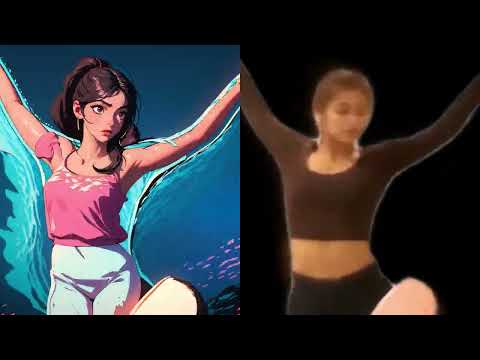
AI Dance Animation Experiment: Before & After (AnimateDiff)
0:19
Tutorial0:19
AI Dance Animation Experiment: Before & After (AnimateDiff)
Source and result for my AI-generated animation! This experiment combines video of a dance performance by @Erica_Klein and @hokutokonishi and a text prompt to stylize it. Full video in 4K: https://youtu.be/PcWJu8X--Yk Sound design and original music by Nic Dematteo of Equal Music. Footage originally from a collaboration with Paul Trillo: https://www.youtube.com/watch?v=JOS_FensOwI More specifically, this was made using AnimateDiff and the ComfyUI frontend for Stable Diffusion. There is so much to explore here and I can't wait to start training custom motion and image models. More explorations coming soon! Erica Klein: https://www.youtube.com/channel/UCZeErVjs3TXe4cZOeswDl0Q Hok: https://www.iamhok.com/ Nic Dematteo: https://www.equalmusic.net/ Paul Trillo: https://paultrillo.com/

Who uses it

Real use cases, no hype
Text-to-Animation
Generate short animated videos directly from text prompts using any community SD model.
Image-to-Animation
Animate a single image by injecting it as a conditioning frame via SparseCtrl RGB.
Sketch-to-Animation
Create animations from rough scribble inputs for rapid ideation.
Camera Motion Control
Apply zoom, pan, tilt, or roll effects using lightweight MotionLoRA adapters.
Personalized Animation
Animate characters or styles fine-tuned with DreamBooth or LoRA without retraining.
Video Style Transfer
Combine a community style model with AnimateDiff to produce animated content in that style.
Content Creation Prototyping
Quickly generate motion drafts for storyboards, ads, or social media clips.
What's great
  • Plug-and-play with any Stable Diffusion 1.5 model
  • No model-specific training required
  • Generates coherent short animations from text prompts
  • Supports diverse community models and LoRAs
  • Open-source with official Diffusers integration
Technical strengths
  • MotionLoRA enables lightweight adaptation to specific motion patterns
  • SparseCtrl handles sparse inputs like RGB images or sketches
Where it falls short
  • Visible flickering in generated animations
  • High VRAM consumption (~13GB for SDXL)
  • Limited visual quality for generic text-to-video
  • Style mismatch when using images from different models
Technical limitations
  • Motion module adds 1.56 GB to model footprint
  • SparseCtrl encoders increase inference latency
  • No temporal consistency optimizations for general T2V
For technical folks

The deep-dive specs

Architecture
Temporal attention motion module
Model Version
v3 (Domain Adapter + Motion Module)
Storage (v3)
97.4 MB adapter + 1.56 GB motion module
Max Resolution (SDXL)
1024x1024x16 frames
VRAM (SDXL)
~13 GB

FAQ

Includes technical Q&A
It works out-of-the-box with any Stable Diffusion 1.5 model and has a beta version for SDXL (see sdxl-beta branch).

Traffic Insights

Monthly Visits

July 2026

Growth Rate

0%

vs last month

Dominance

0%

in Video Generation

Top Country

Top Countries

Growth Trend

Stable

Traffic has remained stable.

Honest pricing

No sneaky tiers, no “contact sales”

Here's who each plan is actually for — and where the hidden charges might hit.

Open Source
Free

Researchers & Individuals

  • Full access to GitHub repository
  • Pre-trained motion modules (v3
  • v2
  • SDXL)
  • MotionLoRA and SparseCtrl checkpoints
  • Inference and training scripts
  • Gradio web UI demo
Reviews

What the internet actually thinks

Data refreshed weekly. No paid placements.

Trustpilot
Not reviewed yet
G2
G2
Not reviewed yet
C
Capterra
Not reviewed yet
Product Hunt
Not reviewed yet
COMMUNITY COMMENTS

Leave a Comment

Help others make informed decisions. Your honest feedback shapes the community's understanding of this tool.

Tips for commenting

  • Be specific about features you used
  • Share real use cases and results
  • Mention both pros and cons
  • Keep it honest and constructive
Sign in to leave a comment

Your comment will be published after moderation

Filter by rating:
Sort by:

No comments yet

Be the first to share your experience with this tool.

Alternatives

Not quite the right fit?

Here's what else is out there.

Detail tags
Found via these searches
#AI#Animation#DiffusionModels#StableDiffusion#TextToVideo#OpenSource#Research