Fooocus

Fooocus

Fooocus is an offline, open-source image generation software based on Gradio and Stable Diffusion XL. It rethinks image generator designs by eliminating manual tweaking, similar to Midjourney. Users only need to focus on prompts and images. Installation is simplified: less than 3 mouse clicks from download to first image. Minimal GPU memory requirement is 4GB (Nvidia). The project is now in limited long-term support (LTS) with bug fixes only. Target users include digital artists, AI enthusiasts, and content creators seeking a free, no-nonsense image generator.

Image Generation
Visit website
Added on
Jul 13, 2026
OfflineOpen sourceFreeSDXLGradioText-to-ImageImage-to-ImageInpaintingUpscalingLoRA
Product information

Everything worth knowing about Fooocus

The complete picture — from everyday features to the technical detail builders and IT folks dig for.

Core features

What it actually does

Text-to-Image Generation
Generate high-quality images from descriptive text prompts.
Image-to-Image
Modify existing images using prompts and style transfers.
Inpainting
Seamlessly edit or replace specific areas of an image using mask-based inpainting.
Upscaling
Enhance image resolution with built-in upscaling tools.
Style Presets
Apply a variety of artistic styles and themes from a built-in library.
Technical capabilities
SDXL Foundation
Built on the Stable Diffusion XL architecture for high-quality generation.
Gradio Frontend
Web-based interface built with Gradio for easy interaction.
Must watch videos
How To Install Fooocus AI on Windows - 2026
2:13
Tutorial2:13
How To Install Fooocus AI on Windows - 2026
How To Install Fooocus AI on Windows ✅ Fooocus on GitHub 👉 https://github.com/lllyasviel/Fooocus ✅ Please Consider Buying Me a Coffee if you found this vide helpful ☕ 👉https://buymeacoffee.com/tutwithterry ✍️ For sponsorship and inquiries: tutorialswithterry@gmail.com 🔴 This video and its description may include affiliate links. By clicking on these product links, you'll be supporting us, as we receive a small commission from your purchase. This support is crucial as it enables us to continue producing content like this. We're incredibly grateful for your support. Thank you! #howto #fooocus #fooocustutorial
How to Run Your Own Personal AI Image Generator – For Free with Fooocus
6:43
Tutorial6:43
How to Run Your Own Personal AI Image Generator – For Free with Fooocus
Learn how to install, run, and use your own AI image generator. No data center or subscription required. • Visit Silent Peak Store for Promocodes and Reviews https://silentpeakphoto.com/store/ Contents -------------- 00:00 - Start 00:54 - How to Install Fooocus 01:28 - How to Load Fooocus 01:50 - How to run Fooocus on AMD GPUs 02:35 - Step 3: How to Create Images in Fooocus 04:01 - Step 4: Using the Advanced Mode in Fooocus References • Fooocus GitHub page https://github.com/lllyasviel/Fooocus • AMD Script for Run.bat .\python_embeded\python.exe -m pip uninstall torch torchvision torchaudio torchtext functorch xformers -y .\python_embeded\python.exe -m pip install torch-directml .\python_embeded\python.exe -s Fooocus\entry_with_update.py --directml pause
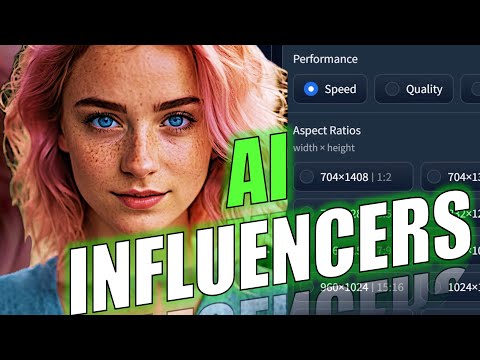
Ai Influencers with Consistent Faces Made Easy – Fooocus Tutorial
7:48
Tutorial7:48
Ai Influencers with Consistent Faces Made Easy – Fooocus Tutorial
#ai #aitutorial #aiinfluencer #virtualmodels Learn how to easily create virtual models or Ai influencers locally on your machine by using Fooocus. Learn the basics of how to generate Ai images with consistent faces. Besides learning the basics and main functionality of Fooocus, we look at some of its settings, and their impact on the image generation, in detail. You can even use the generated images to train a LoRA, which allows you to generate images with more poses than Focus allows you to: https://youtu.be/cQLAtDvHZD8 Requirements: - 8GB System RAM + 4GB VRAM Nvidia GPU - 33GB of free disk space - Pinokio Installed on your PC (How To Install Pinokio: https://www.youtube.com/watch?v=ln1qEglnpMo) Prompt for the base image portrait: beautiful lady, (light freckles), blue eyes, pink hair, no makeup, hyperdetailed photography, soft light, head and shoulders portrait, cover My telegram channel with daily ai news as audio, ai images and videos as well as hardware deals: https://t.me/aivthub //UPDATE 07/2025// To bring your influencers to life, check out this video: https://youtu.be/-5fWC7RYXYk . For even better voices for your influencers, check out the two best voice cloning tools in 2025: https://www.youtube.com/watch?v=POZSRl8yNSY You can also try Elevenlabs for free while supporting this channel (Up to 20 minutes of voice generation for free each month): https://try.elevenlabs.io/aivt //UPDATE END// Links: Download Pinokio: https://pinokio.co Juggernaut XL: https://civitai.com/models/133005/juggernaut-xl How I clone my voice for the video: https://www.youtube.com/watch?v=5i_Pyw0gH-M Recommend minimum PC hardware for running Ai tools locally: https://www.youtube.com/watch?v=yhIvOxqtvJc If you appreciate my videos, you can buy me a coffee at https://www.buymeacoffee.com/aivoicetutor My PC components: (Disclosure: As an Amazon Associate, I earn from qualifying purchases. Clicking on and purchasing products through these links won't cost you any extra. They help support this channel and allow me to continue providing valuable content) The GPU I’m using: ZOTAC Gaming GeForce RTX 4090 AMP Extreme https://amzn.to/3PZHNlm (Affiliate Link) (Alternative: Zotac NVIDIA GeForce RTX 4090 Trinity https://amzn.to/3s2GERN (Affiliate Link)) The CPU I’m using: INTEL CORE I9-13900KF https://amzn.to/3MudSRp (Affiliate Link) Prebuilt PC similar to mine: Empowered PC Continuum Micro Gaming Desktop https://amzn.to/47C5CY5 (Affiliate Link) Chapters: 00:00 Intro 00:21 Overview 00:56 Install Fooocus via Pinokio 01:16 Fooocus Basics 02:22 Create Base Image 02:50 Create Image Variations 03:35 Inpainting in Fooocus 04:10 Outpainting and Upscaling in Fooocus 04:46 Combining Images in Fooocus 05:15 Fooocus Comparisons

Who uses it

Real use cases, no hype
Concept Art & Design Prototyping
Generate visual concepts quickly from text prompts, perfect for early-stage ideation.
Inpainting & Object Removal
Seamlessly replace or remove objects in images using simple brush strokes.
Outpainting & Image Expansion
Extend images beyond their original boundaries with coherent content generation.
Style Transfer & Customization
Apply predefined or custom artistic styles to any image for consistent branding.
Character & Portrait Generation
Create consistent characters using prompts and reference images, ideal for games or stories.
Product Visualization Mockups
Generate product images with specific backgrounds and lighting for presentations.
Creative Exploration & Brainstorming
Rapidly iterate on surreal or artistic ideas to unlock new creative directions.
What's great
  • Midjourney-like simplicity for prompt-only generation
  • Free, open-source, and fully offline
  • Works on GPUs with as little as 4GB VRAM
  • Built-in style presets for quick customization
Technical strengths
  • Seamless ControlNet integration for pose/edge control
  • Optimized inference pipeline for SDXL with minimal memory
  • Inpainting and outpainting without manual masking
Where it falls short
  • LTS mode means only bug fixes, no new features
  • Performance heavily depends on Nvidia GPU optimization
  • Can be slow on high resolution without heavy VRAM
  • Installation can require manual Python environment tweaks
Technical limitations
  • Locked to SDXL architecture with no native Flux/SD3 support
  • Dependency on Gradio limits interface flexibility
  • Limited model format compatibility outside core models
For technical folks

The deep-dive specs

Architecture
Stable Diffusion XL
UI Framework
Gradio
Minimum GPU Memory
4GB Nvidia
License
Open Source
Backend
PyTorch

FAQ

Includes technical Q&A
No, after downloading the SDXL model files, Fooocus runs entirely offline.

Traffic Insights

Monthly Visits

July 2026

Growth Rate

0%

vs last month

Dominance

0%

in Image Generation

Top Country

Top Countries

Growth Trend

Stable

Traffic has remained stable.

Honest pricing

No sneaky tiers, no “contact sales”

Here's who each plan is actually for — and where the hidden charges might hit.

Free
Most picked
Free

Everyone

  • Text-to-Image generation
  • Image-to-Image
  • Inpainting
  • Upscaling
  • Style presets
  • LoRA support
  • Offline usage
Reviews

What the internet actually thinks

Data refreshed weekly. No paid placements.

Trustpilot
Not reviewed yet
G2
G2
Not reviewed yet
C
Capterra
Not reviewed yet
Product Hunt
Not reviewed yet
COMMUNITY COMMENTS

Leave a Comment

Help others make informed decisions. Your honest feedback shapes the community's understanding of this tool.

Tips for commenting

  • Be specific about features you used
  • Share real use cases and results
  • Mention both pros and cons
  • Keep it honest and constructive
Sign in to leave a comment

Your comment will be published after moderation

Filter by rating:
Sort by:

No comments yet

Be the first to share your experience with this tool.

Alternatives

Not quite the right fit?

Here's what else is out there.
Detail tags
Found via these searches
#ImageGeneration#StableDiffusion#OpenSource#AI#NoCode#CreativeTool