Canva

Canva

Canva is an all-in-one online graphic design platform that empowers users to create professional-quality visual content without extensive design skills. It offers a drag-and-drop editor, millions of templates, and a vast library of stock photos, videos, fonts, and elements for creating presentations, social media graphics, posters, logos, videos, and more. The platform integrates a suite of AI-powered tools for image generation, video creation, text-to-speech, and content automation. It supports real-time collaboration, brand management for teams, and extensive third-party integrations. Canva is targeted at marketers, entrepreneurs, educators, students, and businesses of all sizes seeking to produce high-quality visual communication efficiently.

Image Generation
Visit website
Added on
Jul 7, 2026
Visual editorAI generationTeam collaborationBrand managementAsset libraryTemplatesExport formatsIntegrationsMobile appsContent planner
Product information

Everything worth knowing about Canva

The complete picture — from everyday features to the technical detail builders and IT folks dig for.

Core features

What it actually does

Drag-and-Drop Design Editor
Core visual editor with real-time WYSIWYG editing, pre-built templates, and a vast asset library for non-designers.
Canva AI Suite (Magic Studio)
Integrated AI tools including text-to-image generation (trained on proprietary models), AI video generation (faceless/shorts), AI music/voice generation, and Magic Switch for content repurposing.
Brand Kit & Team Templates
Centralized asset management for logos, fonts, and color palettes. Enforces visual identity across team-created custom templates and designs.
Multi-format Export & Conversion
Export designs as PNG, JPG, PDF, MP4, GIF. Built-in converters for documents (PPT to PDF), images (HEIC to JPG), and videos (MOV to MP4).
Technical capabilities
Real-time Collaborative Workspace
Live commenting, simultaneous multi-user editing, and Canva Live for interactive presentations. Integrates with Slack, Teams, and Google Drive.
Vector-based Rendering Engine
Proprietary graphics engine that supports scalable vector graphics (SVG), layers, and real-time rendering across web and mobile platforms.
Must watch videos
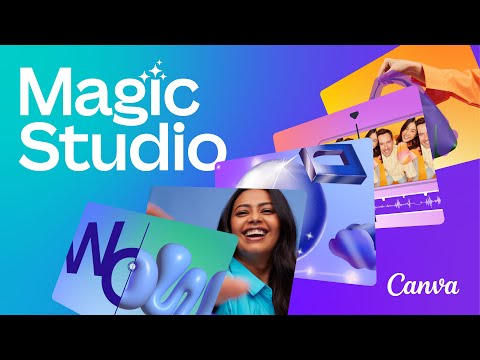
Canva AI Powered Magic Studio Just Changed Design Forever
9:16
Tutorial9:16
Canva AI Powered Magic Studio Just Changed Design Forever
Canva has just released Magic studio, where they are bringing all their different AI apps for content creation in one place. This includes text to video, text to image, magic expand, magic grab, magic edit and a bunch more that I’ll show you in this video. And they have an entire AI marketplace too to give you access to third-party AI tools inside of Canva. You can access DALL.E for example for text to image generation, use D-ID or HeyGen AI to create AI Avatars, or SoundRaw to create music using AI. You can try Magic Studio here: https://www.canva.com/magic/ Interested in mastering ChatGPT and the top AI tools? Explore the ultimate learning platform: https://bit.ly/skillleap-howfinity
Meet Magic Studio | Let the power of AI supercharge your work
1:55
Tutorial1:55
Meet Magic Studio | Let the power of AI supercharge your work
Our most exciting launch yet. Explore Magic Studio, our new collection of AI-powered tools to help you and your team work with more ease, speed and creativity than ever before. Discover Magic Studio: canva.com/magic 🔔 Subscribe for handy Canva tips, tutorials, and more: https://bit.ly/YTCanvaDirectSub 👍 Enjoyed this video? Hit the "Like" button to see more in your feed. About Canva: Canva is the world’s most inclusive design platform that lets anyone design anything and publish anywhere - and it’s now supercharged with the power of AI. Canva can help you express ideas, unleash your creativity and achieve your goals. Available in 100 languages and on any device, start with one of Canva’s 615,000 templates and see where your creativity takes you. Ready to get your team started on Canva? Visit canva.com/for-teams/ Try Magic Studio today: canva.com/magic #Canva #MagicStudio
How To Use Canva Magic Studio AI Tools (2026 Easy Guide)
3:16
Tutorial3:16
How To Use Canva Magic Studio AI Tools (2026 Easy Guide)
Learn how to use Canva Magic Studio AI tools including Magic Erase, Magic Grab, Magic Expand, and Background Remover in this step-by-step tutorial. #Canva #CanvaTutorial #AITools Timestamps: 0:00 - Introduction 0:33 - Opening Magic Studio In Canva 0:55 - How To Use Magic Erase 1:55 - How To Use Magic Grab 2:25 - How To Use Magic Expand 2:44 - How To Use Background Remover 3:00 - Outro canva magic studio, how to use canva magic studio, canva ai tools, canva magic erase tutorial, canva magic grab, canva magic expand, canva background remover, canva ai photo editing, canva tutorial for beginners, canva 2026 tutorial, how to edit photos in canva, canva design tips, canva ai features, remove background in canva, canva step by step guide

Who uses it

Real use cases, no hype
Social Media Graphics
Quickly create posts, stories, and ads with pre-sized templates.
Marketing Presentations
Build branded slides with collaborative editing and live presenting tools.
AI-Powered Video Editing
Generate and edit short videos, reels, and clips with AI tools.
Document Conversion
Convert, compress, and edit PDFs, images, and office files online.
Brand Kit Management
Maintain consistent logos, colors, and fonts across team designs.
Rapid Prototyping
Mock up website designs, app screens, and product visuals.
Educational Content
Create lesson plans, worksheets, and course materials with AI assistance.
What's great
  • Massive library of templates and assets
  • Intuitive, drag-and-drop web interface
  • Powerful AI tools for design, text, and video
Technical strengths
  • Cloud-based real-time collaboration
  • Extensive third-party app integrations
Where it falls short
  • Advanced features locked behind paid plans
  • Limited offline functionality
  • Export file size and resolution limits
Technical limitations
  • Proprietary format limits advanced vector editing
  • Browser-based performance bottlenecks
For technical folks

The deep-dive specs

Core Technology
Proprietary browser-based vector graphics engine with WebGL acceleration
AI Models
Proprietary text-to-image (trained on licensed stock), video generation (Runway ML integration), and LLMs for text generation
Infrastructure
AWS-based global CDN for asset delivery and real-time collaboration
File Format Support
Import: JPG, PNG, SVG, PDF, PPT, MP4, MOV. Export: PNG, JPG, PDF, MP4, GIF, PPTX

FAQ

Includes technical Q&A

Traffic Insights

Monthly Visits

July 2026

Growth Rate

+0.03%

vs last month

Dominance

0.18%

in Image Generation

Top Country

United States

17.71% of traffic

Top Countries

United States
17.71%
Brazil
7.54%
India
6.08%
Indonesia
4.48%
Mexico
3.79%

Growth Trend

Steady

Consistent user growth over last 6 months.

Honest pricing

No sneaky tiers, no “contact sales”

Here's who each plan is actually for — and where the hidden charges might hit.

Free
Free

Individuals

  • 250000+ free templates
  • Drag-and-drop editor
  • Collaborate with 5 people
  • 5GB cloud storage
  • Basic design tools & elements
Pro
Most picked
$14/mo

Individuals & Freelancers

  • Everything in Free
  • plus:
  • 100+ million premium stock photos
  • videos
  • audio
  • & graphics
  • Brand Kit (1)
Business
$29/mo

Teams

  • Everything in Pro
  • plus:
  • Unlimited Brand Kits
  • Team Templates
  • Content Planner
  • Canva Workspace
  • Bulk create & publish
Enterprise
Contact Sales/mo

Large Organizations

  • Everything in Business
  • plus:
  • Unlimited storage
  • Dedicated Customer Success Manager
  • Advanced analytics & reporting
  • Single Sign-On (SSO)
  • Custom contract & pricing
Reviews

What the internet actually thinks

Data refreshed weekly. No paid placements.

Trustpilot
Not reviewed yet
G2
G2
Not reviewed yet
C
Capterra
Not reviewed yet
Product Hunt
Not reviewed yet
COMMUNITY COMMENTS

Leave a Comment

Help others make informed decisions. Your honest feedback shapes the community's understanding of this tool.

Tips for commenting

  • Be specific about features you used
  • Share real use cases and results
  • Mention both pros and cons
  • Keep it honest and constructive
Sign in to leave a comment

Your comment will be published after moderation

Filter by rating:
Sort by:

No comments yet

Be the first to share your experience with this tool.

Alternatives

Not quite the right fit?

Here's what else is out there.
Detail tags
Found via these searches
#NoCode#GraphicDesign#Templates#Collaboration#BrandKit#AI#VideoEditing