Meshy

Meshy

Meshy is an AI-powered 3D model generator that enables users to create high-quality 3D assets from text prompts or reference images in seconds. It offers a comprehensive suite of tools including text-to-3D, image-to-3D, AI texturing, smart remeshing, rigging and animation, and a built-in AI prompt helper. The platform supports multiple export formats (FBX, GLB, OBJ, STL, 3MF, USDZ, BLEND) and PBR textures, making it production-ready for game development, film production, product design, education, 3D printing, and VR/AR. Designed for both beginners and professionals, Meshy also provides an API, plugins for popular 3D software, and enterprise-grade features like SSO and team management to streamline collaborative workflows.

Design & Creative
Visit website
Added on
Jul 13, 2026
Text to 3DImage to 3DAI TexturingPBR TexturesRigging & AnimationSmart RemeshAPI AccessPluginsMulti-languageCommunity Hub
Product information

Everything worth knowing about Meshy

The complete picture β€” from everyday features to the technical detail builders and IT folks dig for.

Core features

What it actually does

Text to 3D Model
Generate detailed 3D models from text descriptions.
Image to 3D Model
Convert images, sketches, or illustrations into 3D models.
AI Texturing
Enhance models with textures generated from text prompts or reference images.
Smart Remesh
Adjust triangle/quad counts and topology with precision from 1k to 300k.
Rigging & Animation
Auto-rigging and 500+ motion library for character animation.
Technical capabilities
Multi-view Diffusion Model
Proprietary architecture that generates consistent 3D geometry from 2D inputs.
PBR Texture Pipeline
Physical-based rendering with Diffuse, Roughness, Metallic, and Normal maps.
Must watch videos
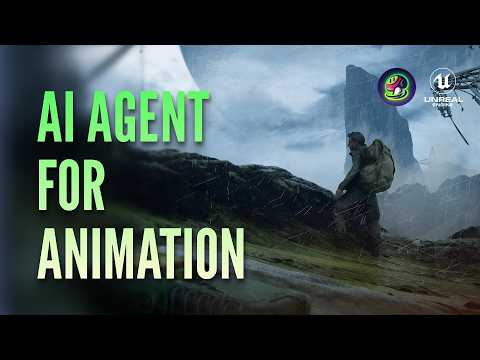
How to Rig and Animate 3D Characters by Just Chatting | Meshy 3D Agent
1:58
Tutorial1:58
How to Rig and Animate 3D Characters by Just Chatting | Meshy 3D Agent
πŸš€ Try Meshy now at https://www.meshy.ai/?utm_source=youtube&utm_medium=social Meshy 3D Agent can now animate your characters right in the chat. We put the new skill to the test with a hero and built a barren planet around him. πŸ“Œ Timestamp: 00:00 - Generate the character and remesh it, all in the same chat 00:18 - Ask the Agent to rig the character and pick from the animations it recommends 00:50 - View and download all the animations in one click 01:11 - Batch-generate the rest of the environment assets 01:20 - Import everything into Unreal Engine and plug into the rest of your pipeline Every move he makes, and every rock he stands on, all through a conversation. ──────────────────────────────── πŸ‘€ Follow Us for more updates: X: https://www.x.com/MeshyAI Instagram: https://www.instagram.com/meshy.ai/ Reddit: https://www.reddit.com/r/meshyai/ Linkedin: https://www.linktr.ee/MeshyAI #meshyai #rigging #ai3d #agenticai #indiegame #gamedev
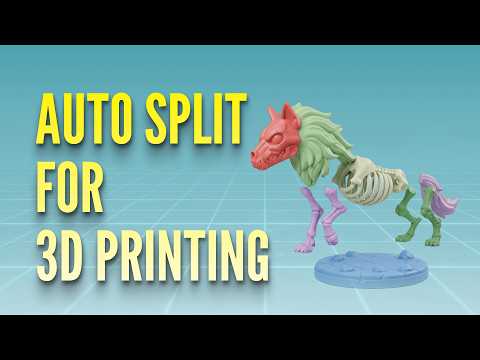
How to Split Any 3D Model into Printable Parts in One Click
0:49
Tutorial0:49
How to Split Any 3D Model into Printable Parts in One Click
πŸš€ Try Meshy now at https://www.meshy.ai/?utm_source=youtube&utm_medium=social Splitting a 3D model into printable parts used to mean hours of manual cutting. With Meshy Auto Split, it takes one click. In this tutorial, we walk through the full workflow: - Generate a draft model with Image-to-3D - Hit Auto Split. In 40 seconds, you get parts that follow the model's natural structure - Download and open your slicer Every part comes out clean, watertight, and ready to print. Built for multi-color prints, oversized models, and figures. Currently available for draft models generated by Meshy 6. Connectors are coming soon πŸ‘€ For more detailed tutorial guide on Auto Split, please visit https://www.meshy.ai/tutorials/auto-split-3d-model-into-parts. ──────────────────────────────── πŸš€ Follow Us for more updates: X: https://www.x.com/MeshyAI Instagram: https://www.instagram.com/meshy.ai/ Reddit: https://www.reddit.com/r/meshyai/ Linkedin: https://www.linktr.ee/MeshyAI Join our community of creators on Discord: https://www.discord.com/invite/KgD5yVM9Y4 #meshyai #3dprinting #segmentation #3dmodeling #aimodeling
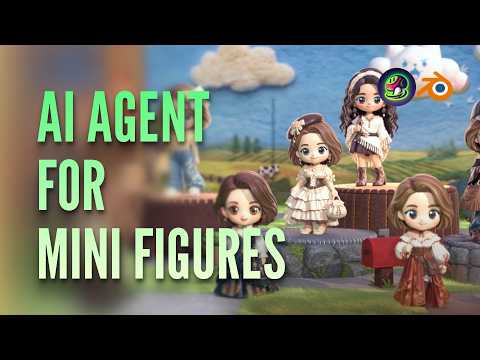
I Asked an AI Agent to Design a Whole Blind Box Series 🎁
1:58
Tutorial1:58
I Asked an AI Agent to Design a Whole Blind Box Series 🎁
🀩 Try Meshy 3D Agent now at https://www.meshy.ai/?utm_source=youtube&utm_medium=social Starting from one chibi idea, Meshy 3D Agent generated a full lineup of variations with different outfits and styling, all sharing the same look across the collection. πŸ“Œ Timestamp: 00:00 - Brainstorm the concept with Meshy 3D Agent, which pulls references and suggests directions as you go. 00:17 - Generate multiple chibi designs from a single concept. 00:25 - Refine each design through chat, freely swapping outfits and details. 01:16 - Send the assets straight from Meshy to Blender for the finishing touches. From a single idea to a full blind box series, all through a conversation. πŸ‘€ Follow Us for more updates: X: https://www.x.com/MeshyAI Instagram: https://www.instagram.com/meshy.ai/ Reddit: https://www.reddit.com/r/meshyai/ Linkedin: https://www.linktr.ee/MeshyAI #meshyai #figurine #blender #ai3d #agenticai #chibi

Who uses it

Real use cases, no hype
Film Production
Rapid VFX and previsualization with AI-generated 3D assets.
Product Design
From concept to 3D prototype in minutes, reducing iteration time.
Education
Affordable 3D models for STEAM, art, and game design classes.
Game Development
Create assets, rigs, and animations for engines like Unity and Unreal.
3D Printing
Turn ideas into clean, printable models in standard formats.
VR/AR
Optimized low-poly assets for real-time performance.
Interior Design
Generate photorealistic furniture and decor from sketches or text.
What's great
  • Text and image to 3D generation in seconds
  • Multiple export formats (FBX, GLB, OBJ, STL, etc.)
  • Large community of 10M+ creators for inspiration
Technical strengths
  • PBR texture support with diffuse, roughness, metallic, normal maps
  • Plugins for Unity, Unreal, Blender, Maya
Where it falls short
  • Generated models often require manual cleanup
  • Prompt engineering needed for consistent results
  • Free tier has limited daily generations
Technical limitations
  • Struggles with complex organic shapes and anatomy
  • No offline mode; fully web-based
For technical folks

The deep-dive specs

AI Architecture
Multi-view diffusion-based transformer
Supported Formats
FBX, GLB, OBJ, STL, 3MF, USDZ, BLEND
Texture Maps
Diffuse, Roughness, Metallic, Normal (PBR)
Polygon Controls
1k to 300k triangles/quads
Animation Library
500+ game-ready motions
API Type
REST API with task management

FAQ

Includes technical Q&A
Meshy offers a free tier with limited credits and paid subscription plans for increased usage and features.

Traffic Insights

Monthly Visits

β€”

July 2026

Growth Rate

0%

vs last month

Dominance

0%

in Design & Creative

Top Country

β€”

Top Countries

β€”

Growth Trend

Stable

Traffic has remained stable.

Honest pricing

No sneaky tiers, no β€œcontact sales”

Here's who each plan is actually for β€” and where the hidden charges might hit.

Free
Free

Individuals

  • Text to 3D and Image to 3D
  • Standard generation speed
  • Public gallery
  • Export in GLB and OBJ
  • Watermarked output
Pro
Most picked
$24/mo

Professionals

  • Everything in Free
  • 600 credits/month
  • PBR textures
  • Smart Remesh
  • Animation library
  • Private generation
  • Export in all formats (FBX
Max
$60/mo

Teams

  • Everything in Pro
  • 1500 credits/month
  • 50+ concurrent tasks
  • Priority support
  • Private license
  • Asset management
Enterprise
Custom

Enterprise

  • Custom credits and limits
  • Multi-team management
  • Single Sign-On (SSO)
  • Dedicated account support
  • Data privacy and compliance (SOC2
  • GDPR)
  • Custom integration and API
Reviews

What the internet actually thinks

Data refreshed weekly. No paid placements.

Trustpilot
Not reviewed yet
G2
G2
Not reviewed yet
C
Capterra
Not reviewed yet
Product Hunt
Not reviewed yet
COMMUNITY COMMENTS

Leave a Comment

Help others make informed decisions. Your honest feedback shapes the community's understanding of this tool.

Tips for commenting

  • β€’Be specific about features you used
  • β€’Share real use cases and results
  • β€’Mention both pros and cons
  • β€’Keep it honest and constructive
Sign in to leave a comment

Your comment will be published after moderation

Filter by rating:
Sort by:

No comments yet

Be the first to share your experience with this tool.

Alternatives

Not quite the right fit?

Here's what else is out there.

Detail tags
Found via these searches
#AI#3DModeling#TextTo3D#ImageTo3D#PBR#AIGeneration#GameDevelopment