Otter

Otter

Otter is an AI-powered meeting notetaker that records, transcribes, and summarizes conversations in real time. It captures the full conversation, tracks takeaways, and handles follow-ups automatically. Otter lets you ask questions across meetings via AI Chat, and pushes insights to CRM and project management tools. It integrates with Zoom, Google Meet, Teams, and more. Key capabilities include bot-free desktop recording, multilingual live transcription (English, French, Spanish, Japanese, German, Mandarin), advanced AI workflows, collaboration via Channels, and enterprise-grade security. Otter's MCP server allows ChatGPT and Claude to access meeting knowledge for deeper analysis. Designed for sales teams, educators, media professionals, recruiters, and any team wanting to convert spoken discussions into a searchable knowledge base. Serves individual professionals to Fortune 500 companies.

Productivity
Visit website
Added on
Jul 9, 2026
Monthly Visits
6.6M
AI meeting assistantLive transcriptionSpeaker identificationAutomated summariesAI Chat searchCRM integrationsDesktop & mobile apps
Product information

Everything worth knowing about Otter

The complete picture — from everyday features to the technical detail builders and IT folks dig for.

Core features

What it actually does

Live Transcription
Real-time transcription with speaker identification across multiple languages, available on desktop, mobile, and web.
AI Meeting Summaries
Automatically generates structured summaries with decisions, action items, and key takeaways for every meeting.
Otter AI Chat
Conversational search across all meetings and connected apps to ask questions and retrieve knowledge instantly.
Bot-Free Desktop Recording
Record meetings directly from Mac or Windows desktop without requiring a separate meeting bot.
Channels & Collaboration
Group meetings by team or project into shared spaces with collaborative note editing and highlights.
Technical capabilities
Proprietary Speech Recognition
Fine-tuned transformer-based ASR optimized for conversational speech with speaker diarization and keyword tagging.
MCP Server Integration
Exposes meeting knowledge via Model Context Protocol for use by ChatGPT, Claude, and other AI assistants.
Must watch videos
Otter and Egnyte
1:59
Tutorial1:59
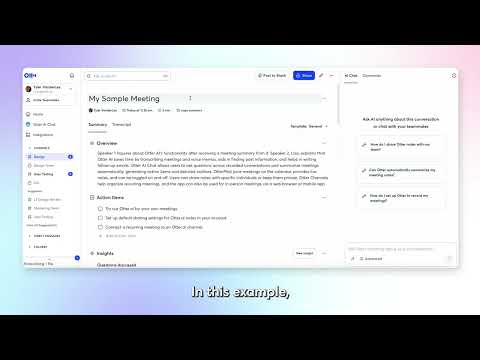
Otter and Egnyte
See how the Otter and Egnyte integration automatically pushes your meeting transcripts, summaries, and insights directly into Egnyte - keeping your team's meeting data secure, organized, and right where you need it.
Leading by Influence: The Founder's Shift to Sustainable Growth with  Matt Holtz
25:39
Tutorial25:39
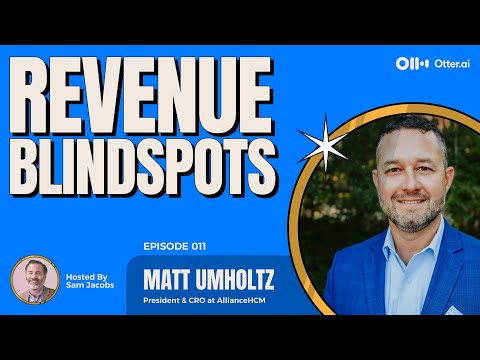
Leading by Influence: The Founder's Shift to Sustainable Growth with Matt Holtz
In this episode of Revenue Blind Spots, host Sam Jacobs speaks with Matt Holtz, President and CRO of Alliance HCM, about navigating the shift from a founder-led business to a role on an executive team. Matt shares his transition to leading "more by influence than you can lead by just being the darn founder". He discusses his biggest blind spot: the "survive to thrive curve", where he focused on grabbing any revenue possible, which resulted in non-sustainable business.
The M&A Integration Blind Spot: Autonomy vs. Synergy
18:44
Comparison18:44
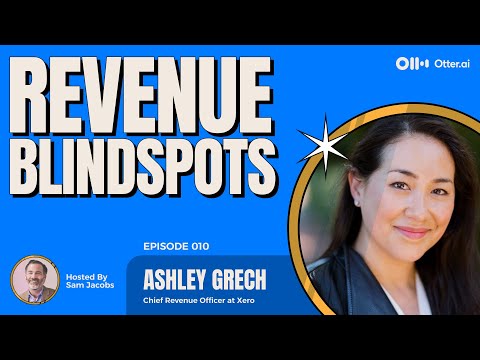
The M&A Integration Blind Spot: Autonomy vs. Synergy
Post-acquisition, most leaders promise: “Nothing changes for 6–12 months.” According to Xero CRO Ashley Grech, that’s exactly how you destroy deal value. In this episode of Revenue Blindspots, Sam Jacobs and Ashley unpack the hidden costs of “leaving the acquired company alone,” how to decide which teams to integrate and when, and why you should start with the customer experience—not org charts. They also dig into the tension between regional vs. functional structures and Ashley’s practical advice for rising revenue leaders in an AI-driven world: deeply understand the underlying workflows before you try to automate them.

Who uses it

Real use cases, no hype
Sales Call Notetaking
Automatically transcribe and summarize sales calls, capture action items, and sync insights to CRM.
Education Lecture Transcription
Record lectures and turn them into searchable notes and summaries for student review.
Media Interview Transcription
Transcribe interviews and generate key quotes and draft-ready notes.
Recruiting Interview Insights
Get real-time transcription and structured candidate summaries.
Team Meeting Collaboration
Share transcripts, summaries, and action items with team channels.
Automated Demo Scheduling (SDR Agent)
Engage website visitors with automated live demos and book meetings 24/7.
What's great
  • Real-time live transcription with speaker identification
  • AI-generated summaries and action items automatically
  • Seamless integration with Zoom, Google Meet, Teams
Technical strengths
  • Multi-language transcription support (English, Spanish, French, etc.)
  • Workflow automation to push data to CRM, Jira, Slack
  • MCP server enables secure access from ChatGPT and Claude
Where it falls short
  • Free plan heavily limited (300 min/month, 30 min cap)
  • Transcription accuracy degrades with poor audio or heavy accents
  • No offline mode; requires internet connection
  • Business plan cost is high for small teams
Technical limitations
  • AI summaries sometimes miss nuanced discussion points
  • Limited customization of AI note templates
For technical folks

The deep-dive specs

Speech Recognition
Proprietary deep learning model optimized for conversational speech
Languages Supported
English, French, Spanish, Japanese, German, Mandarin
Max Audio Length (Business)
4 hours per meeting
Security
TLS encryption, AES-256 for real-time content, SSO, HIPAA (add-on)
Integration Protocol
MCP Server, REST API, Webhooks

FAQ

Includes technical Q&A
Yes! Just log in to your account, go to Settings, and select 'Upgrade to Business'. Follow the prompts and you'll be set.

Traffic Insights

Monthly Visits

6.6M

July 2026

Growth Rate

+0.02%

vs last month

Dominance

0.56%

in Productivity

Top Country

Top Countries

Growth Trend

Steady

Consistent user growth over last 6 months.

Honest pricing

No sneaky tiers, no “contact sales”

Here's who each plan is actually for — and where the hidden charges might hit.

Basic
Free

Individuals

  • AI meeting assistant with live transcription
  • 300 monthly transcription minutes
  • 30 min per conversation limit
  • 3 lifetime audio/video file imports
  • Multi-language support (English
  • French
  • Spanish)
Pro
$16/mo

Individuals & Small Teams

  • Everything in Basic
  • 1200 in-app recording minutes per user/month
  • Up to 90 min per meeting
  • 10 monthly audio/video file imports
  • Advanced search
  • export & playback
Business
Most picked
$30/mo

Medium-Sized Teams

  • Everything in Pro
  • Unlimited meetings and in‑app recordings
  • Unlimited audio/video file imports
  • Up to 4 hours per meeting
  • Enhanced admin features (activity logs
  • usage analytics)
  • 3 concurrent meetings
Enterprise
Custom

Large Teams & Companies

  • Everything in Business
  • Unlimited custom AI workflows
  • Otter Sales Notetaker
  • SSO
  • SCIM
  • Domain Capture
  • HIPAA compliance (add‑on)
Reviews

What the internet actually thinks

Data refreshed weekly. No paid placements.

Trustpilot
Not reviewed yet
G2
G2
Not reviewed yet
C
Capterra
Not reviewed yet
Product Hunt
Not reviewed yet
COMMUNITY COMMENTS

Leave a Comment

Help others make informed decisions. Your honest feedback shapes the community's understanding of this tool.

Tips for commenting

  • Be specific about features you used
  • Share real use cases and results
  • Mention both pros and cons
  • Keep it honest and constructive
Sign in to leave a comment

Your comment will be published after moderation

Filter by rating:
Sort by:

No comments yet

Be the first to share your experience with this tool.

Alternatives

Not quite the right fit?

Here's what else is out there.

Detail tags
Found via these searches
#AI#MeetingAssistant#Transcription#Productivity#ConversationalAI#WorkflowAutomation#SpeechToText