Adobe Podcast

Adobe Podcast

Adobe Podcast is a cloud-based suite of AI audio tools designed for podcast and voiceover production. Core features include Enhance Speech (one-click noise reduction using AI), a text-based audio editor that transcribes speech for cut/copy/paste editing, and remote recording with individual 16-bit 48kHz WAV tracks. It also offers automatic captioning, music removal, and royalty-free music collections. The platform runs entirely in a web browser, requiring no installation. Target users include podcasters, content creators, and video editors who need professional-quality audio without complex software. A free tier is available with limited file duration and download caps; the Premium plan ($9.99/month) adds video support, bulk processing, and adjustable enhancement strength.

Audio Generation
Visit website
Added on
Jul 9, 2026
Monthly Visits
10.6M
Enhance SpeechCaption VideoRemove MusicTranscribe Audio & VideoRecord PodcastEdit Audio & VideoText-based EditingProfessional RecordingRoyalty-free Music
Product information

Everything worth knowing about Adobe Podcast

The complete picture — from everyday features to the technical detail builders and IT folks dig for.

Core features

What it actually does

Enhance Speech
Uses AI to remove background noise and echo from audio recordings.
Add Captions to Video
Automatically generate captions for social media videos.
Transcribe Audio & Video
Convert spoken content into text or PDF transcripts.
Record a Podcast
Record high-quality podcasts solo or with remote guests.
Edit Audio with Text
Edit audio by cutting, copying, and pasting transcribed text.
Pre-edited Royalty-Free Music
Access curated sound collections with intros, outros, and background music.
Technical capabilities
Professional Recording Quality
Captures audio as individual tracks in 16-bit 48kHz WAV format.
Must watch videos
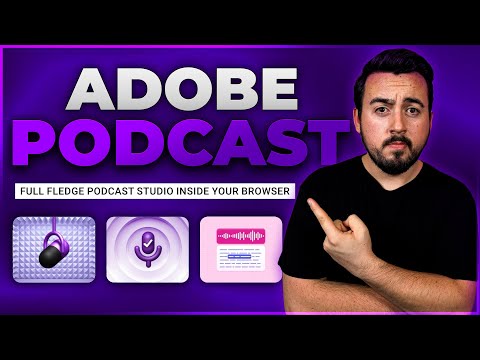
Adobe Podcast AI: Honest Review & Beginner’s Guide (2024)
5:36
Review5:36
Adobe Podcast AI: Honest Review & Beginner’s Guide (2024)
🎙 Sign up for Adobe Podcast ➡ https://www.elegantthemes.com/blog/refer/adobe-podcastai Adobe Podcast AI leverages the power of artificial intelligence to revolutionize podcasting. With its cutting-edge technology, it provides voiceovers and audio editing tools that can enhance podcast content. This platform stands out from other AI audio tools as it can analyze podcast audio content and generate accurate transcripts, captions, keywords, and summaries. Moreover, it can help reduce noise, eliminate echoes, improve vocals, and even automate editing tasks. The cloud-based service is easily accessible as a web application and is included in the Adobe Creative Cloud subscription. 📣 Read The Full Blog Post: https://www.elegantthemes.com/blog/business/adobe-podcast-ai-review Looking for great WordPress plugins? We cover several categories of the best WordPress plugins. 👇 👉 Best Backup Plugins: https://youtu.be/uKiC1VcHsOQ 👉 Best Marketing Plugins: https://youtu.be/ZcR07d69fDE 👉 Best Image Optimization Plugins: https://youtu.be/MchM9eitLxQ Disclosure: If you purchase something after clicking links in the video description, we may receive a commission. Thank you for the support! ➡️ Learn more about Divi: https://www.elegantthemes.com/gallery/divi/ 🔵 Like us on Facebook: https://www.facebook.com/elegantthemes/ #Podcast #Adobe #AdobePodcast Timestamps ⏰ 0:00 What is Adobe Podcast? 0:20 Enhance Speech 2:27 Mic Check 3:12 Adobe Podcast Studio 5:03 Recap 5:16 Outro
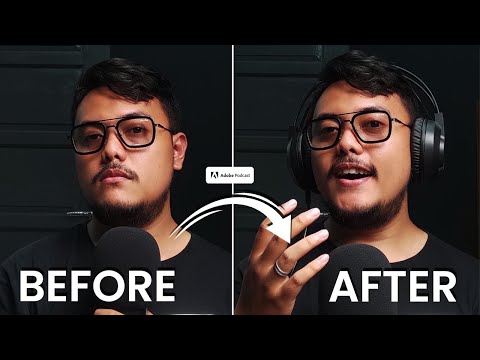
Audio Busuk jadi Jernih pake AI! | Tutorial Lengkap ADOBE PODCAST!
5:10
Tutorial5:10
Audio Busuk jadi Jernih pake AI! | Tutorial Lengkap ADOBE PODCAST!
Link Pembelian (Rekomendasi) • Tokopedia: https://tokopedia.link/bluSLI5jZwb • Shopee: https://invl.io/clfj2gy Rekomendasi Lainnya, Termasuk Peralatan Gua untuk Syuting Blast Library : https://lynk.id/techblast.id Barang Bekas Review : https://invol.co/cl4ifjg Traktir Kopi buat Techblast ID melalui Saweria : https://saweria.co/techblastid #ai #adobe #adobepodcast ------------------------------------------------------------------------------------------------------- Thanks Everyone For any inquiries please contact us on techblastid@gmail.com ---
Adobe Podcast AI Sounds Bad
10:54
Tutorial10:54
Adobe Podcast AI Sounds Bad
HQ Audio Of Video: https://podcastage.com/rev/adobeai Adobe Podcast AI: https://podcast.adobe.com Today I test out Adobe Podcast A.I. to see how it handles mics recorded in untreated spaces, how it handles phone call audio, clipping audio, recordings with too much background noise and a few more things. It's powerful and it has a lot of potential, but I think in it's current iteration it sounds pretty bad. Gear Used This Episode (Affiliate Links): Lewitt MTP W950: n/a Universal Audio LA610 MKII: http://bit.ly/2MBhwLA Universal Audio x8: https://imp.i114863.net/zMg2r Sennheiser HD650: https://geni.us/sennhd650 As an affiliate I earn from qualifying purchases. 00:00 - Intro 00:33 - 1.1: Distance Micing 01:21 - 1.2: Phone Voice Memo 01:55 - 1.3: Phone Call 02:29 - 1.4: Wrong Side of the Mic 03:16 - 1.5: Clipping Audio 03:57 - 1.6: Excessive Background Noise 04:33 - 1.7: Properly Recorded Audio 05:23 - 2: My Thoughts 06:56 - 3: Who Is This For? 07:46 - 4: Words of Warning 08:37 - 5: Wrap Up 10:10 - Outro #Adobe #Podcast #AIProcessing NOTE (FULL DISCLOSURE): If you purchase an item using an affiliate link, it provides me a small referral fee. As an associate, I earn from qualifying purchases. For more info check my FAQ page links below. Become a Patreon: https://www.patreon.com/podcastage Become a Member: https://www.youtube.com/channel/UCvOU-zTlankT-JjN3ZzvuKA/join Check Out This Stuff TOO: Website: https://www.podcastage.com Giveaways: https://podcastage.com/giveaways Discord: https://www.podcastage.com/discord Merch: https://podcastage.com/store Company Relationship Disclosure: https://podcastage.com/disclosure Personal: https://www.bandrewscott.com My YouTube Setup: https://podcastage.com/studio My Favorite XLR Mics: https://podcastage.com/rev/favxlr My Favorite USB Mics: https://podcastage.com/rev/favusb

Who uses it

Real use cases, no hype
Podcast Audio Enhancement
Quickly clean up amateur voice recordings to sound studio-quality for podcast episodes.
Remote Interview Recording
Record high-quality audio with remote guests, each on a separate track, for easy editing.
Transcription-Based Editing
Edit audio by simply cutting, copying, and pasting text from an accurate transcript.
Video Caption Generation
Automatically generate and add captions to videos for social media accessibility.
Background Music Removal
Isolate and remove music from audio/video to repurpose the dialogue or speech.
Lecture/Meeting Transcription
Transcribe long-form audio like lectures or meetings into downloadable text or PDF.
Quick Audiogram Creation
Create promotional video clips with waveforms and captions from podcast episodes.
What's great
  • One-click AI audio enhancement
  • Transcription-based editing like a text doc
  • Browser-based, no software download
  • High-quality remote recording tracks
Technical strengths
  • Leverages Adobe Premiere Pro's proven transcription AI
  • Records individual WAV tracks at 16-bit 48k
  • Integrates with Adobe Express for audiogram assets
Where it falls short
  • Severe usage limits on free plan
  • Premium plan required for essential features
  • No bulk processing on free tier
  • Deeply tied to Adobe ecosystem
Technical limitations
  • Enhance Speech AI may over-process audio
  • Browser-based processing constraints on file size
  • Relies on proprietary Adobe Sensei AI models
For technical folks

The deep-dive specs

Audio Output Format
16-bit 48kHz WAV
AI Technology
Adobe Sensei AI (deep learning)
Transcription Engine
Adobe Premiere Pro transcription
Max Free File Size
500 MB
Max Free Duration
30 minutes

FAQ

Includes technical Q&A
Yes, there is a free plan with limited features like 30-minute max enhancement and project downloads. Advanced features require the Premium subscription.

Traffic Insights

Monthly Visits

10.6M

July 2026

Growth Rate

+0.03%

vs last month

Dominance

0.53%

in Audio Generation

Top Country

Top Countries

Growth Trend

Steady

Consistent user growth over last 6 months.

Honest pricing

No sneaky tiers, no “contact sales”

Here's who each plan is actually for — and where the hidden charges might hit.

Free
Free

Individuals

  • Enhance speech for audio only (no video)
  • No bulk upload – upload one file at a time
  • No strength adjustment
  • 30 minutes max per file
  • 1 hour per day
  • Download up to 2 projects per day (30 min max)
  • Podcast branded audiograms
Premium
Most picked
$9/mo

Individuals

  • Enhance speech for audio and video
  • Bulk upload for automatic processing
  • Adjustable enhancement strength
  • Enhance up to 4 hours per day
  • Files up to 1 GB
  • up to 2 hours
  • Unlimited Studio project downloads
Reviews

What the internet actually thinks

Data refreshed weekly. No paid placements.

Trustpilot
Not reviewed yet
G2
G2
Not reviewed yet
C
Capterra
Not reviewed yet
Product Hunt
Not reviewed yet
COMMUNITY COMMENTS

Leave a Comment

Help others make informed decisions. Your honest feedback shapes the community's understanding of this tool.

Tips for commenting

  • Be specific about features you used
  • Share real use cases and results
  • Mention both pros and cons
  • Keep it honest and constructive
Sign in to leave a comment

Your comment will be published after moderation

Filter by rating:
Sort by:

No comments yet

Be the first to share your experience with this tool.

Alternatives

Not quite the right fit?

Here's what else is out there.

Detail tags
Found via these searches
#AI#Podcast#AudioEnhancement#Transcription#RemoteRecording#Adobe