Midjourney

Midjourney

Midjourney is a leading generative AI platform for creating high-quality, artistic, and photorealistic images from text prompts. Its proprietary diffusion models are renowned for their aesthetic quality, stylistic range, and ability to handle complex, detailed descriptions. It operates primarily through a Discord bot interface, offering a unique community-driven experience. Key features include advanced upscaling, pan/zoom, variation modes, character/style references, and video generation. Plans offer a mix of Fast (priority) and Relax (unlimited, slower) GPU time. Outputs come with broad commercial usage rights, making it suitable for professional work. The platform is tailored for creative professionals and hobbyists who require high-fidelity visual assets. It's subscription-based with no free tier, offering tiers from Basic to Mega with increasing GPU time, concurrency limits, and features like private Stealth Mode on higher plans. Target users include digital artists, concept desig

Image Generation
Visit website
Added on
Jul 8, 2026
Monthly Visits
10M
Text-to-ImageText-to-VideoArtistic AIStyle TuningWeb/Discord
Product information

Everything worth knowing about Midjourney

The complete picture β€” from everyday features to the technical detail builders and IT folks dig for.

Core features

What it actually does

Advanced Image Generation
Generate highly detailed and aesthetically coherent images from text prompts using Midjourney's proprietary models, known for artistic quality and style fidelity.
Fast & Relax GPU Modes
Fast mode uses dedicated GPU time for immediate results. Relax mode provides slower, unlimited generations for images/videos after Fast hours are consumed.
Stealth Mode (Privacy)
Pro and Mega plans include Stealth Mode, which keeps your generated images and videos private and hidden from the public Midjourney gallery.
Video Generation
Create short video clips from prompts. Available in SD resolution on all plans; HD resolution available on Standard, Pro, and Mega plans.
Technical capabilities
Concurrent & Queued Jobs
Run multiple generation jobs simultaneously. Higher-tier plans allow more concurrent Fast jobs and support larger repeat/permutation batches.
Proprietary Model Architecture
Leverages a custom diffusion-based transformer architecture, fine-tuned for artistic coherence and prompt adherence, distinct from open-source models like Stable Diffusion.
Must watch videos
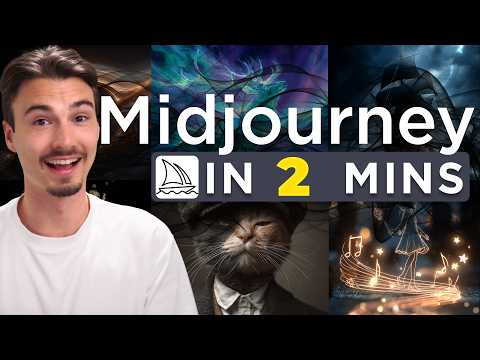
How to Use Midjourney for Beginners in 2026
2:41
Tutorial2:41
How to Use Midjourney for Beginners in 2026
Want to save time, get more leverage, and stop figuring this AI stuff out from scratch? I put the clearest map and support inside the AI Advantage Club: https://joinaiaclub.com/igor In this video, Igor shows you how to use AI image generator Midjourney. He walks you through every step you need to go from an idea to a gorgeous image or video in seconds. Enjoy! Links: https://youtu.be/tx0DPppldwU?si=Vu8rx0AtPWc4-ZMg https://youtu.be/ieU2Luepk7c?si=T3ZW-B2Ffuov_fyU https://youtu.be/r0E1rf89FNM?si=TVbFaPpEH18Nf1Fl https://youtu.be/Fwj_QpC0DxA?si=rYFamVocpYYRjX9q Chapters: 0:00 Intro 0:29 What You Need 0:50 First Prompt 1:01 Image Options 1:15 Video 1:27 Styles 2:04 Final Notes 2:25 Outro Let's connect: πŸ“Έ Instagram: https://www.instagram.com/igorpogany/
Introducing Midjourney V1 Video
2:24
Tutorial2:24
Introducing Midjourney V1 Video
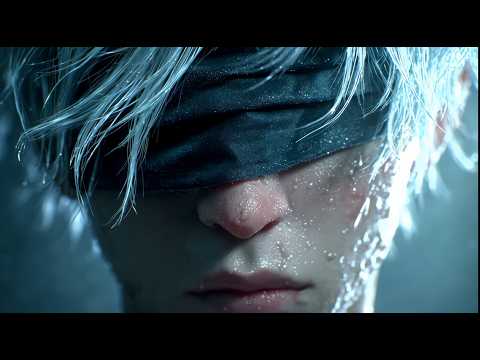
Midjourney can now bring your images to life with our latest model - Video V1 As you know, our focus for the past few years has been images. We believe the inevitable destination of this technology are models capable of real-time open-world simulations. The next year involves building these pieces individually, releasing them, and then slowly putting it all together into a single unified system. Today, we're giving you the power to make any image move. Image-to-Video: Create images in Midjourney as usual, then press "Animate" to make them move - it's very fun. There's an "automatic" animation setting which makes up a motion prompt for you and just makes things move. Or choose "manual" animation where you describe exactly how you want things to move and the scene to develop. Pick "low motion" for ambient scenes where the camera stays mostly still and the subject moves in a slow or deliberate fashion. Choose "high motion" for scenes where you want everything to move, both the subject and camera. Once you have a video you like, you can "extend" them. Visit https://www.midjourney.com/explore?tab=video_top to get started. What will you /imagine today? #midjourney #imagine #generativeart #aiart #ai #video
Midjourney AI Tutorial: How to Use Midjourney to Create Stunning Art
10:33
Tutorial10:33
Midjourney AI Tutorial: How to Use Midjourney to Create Stunning Art
Looking to master Midjourney? This video provides a complete guide on "How to Use Midjourney" to create captivating images with ease. From beginner steps to advanced techniques, learn how to craft the perfect Midjourney prompts and explore unique options like style settings, image references, and more to bring your imagination to life. In this tutorial, you'll discover how to sign up, navigate the interface, and select the right plan for your creative needs. Dive into practical examples and tips on refining images, exploring style adjustments, and testing out fun settings like 'weirdness' and 'variety' to make your artwork one-of-a-kind. Whether you're creating an AI avatar or experimenting with prompt variations, Midjourney lets you explore endless creative possibilities. Unlock your creativity and find inspiration as we delve into everything you need to know about Midjourney! Host: David DeWinter πŸ“š RESOURCES - Get Started with Midjourney: https://www.midjourney.com ⌚ TIMESTAMPS 00:00 - Introduction to Midjourney AI 00:16 - Get Started with Midjourney 00:42 - Explore Midjourney Plans 02:09 - Create Your First Image 02:56 - Craft Specific vs. Open Prompts 03:39 - Options: Image Size, Mode, Versions & Personalize 04:48 - Adjust Stylization 05:41 - Tweak Weirdness & Variety 06:35 - Experiment with Image Generation Speed 06:45 - Refine Images 08:52 - Advanced Prompting Techniques 10:18 - Wrap Up πŸ“Ί RELATED VIDEOS - Playlist with all my videos on Artificial Intelligence: https://www.youtube.com/playlist?list=PLlKpQrBME6xIARXD7aDFbQGAOHibBTqpe πŸ“© NEWSLETTER - Get the latest high-quality tutorial and tips and tricks videos emailed to your inbox each week: https://kevinstratvert.com/newsletter/ πŸ”½ CONNECT WITH ME - Official website: http://www.kevinstratvert.com - LinkedIn: https://www.linkedin.com/in/kevinstratvert/ - Discord: https://bit.ly/KevinStratvertDiscord - Twitter: https://twitter.com/kevstrat - Facebook: https://www.facebook.com/Kevin-Stratvert-101912218227818 - TikTok: https://www.tiktok.com/@kevinstratvert - Instagram: https://www.instagram.com/kevinstratvert/ 🎁 TOOLS AND DISCOUNTS βœ… πŸŽ™οΈ Voicemod AI Voice Changer | 5% off | https://link.xsolla.com/KZBi89AY βœ… 🌐 Squarespace Websites | https://squarespace.syuh.net/XYaqYM βœ… πŸ” Grammarly | https://grammarly.go2cloud.org/SH3nL βœ… πŸ“Ή CapCut | https://bit.ly/installcapcut βœ… πŸ›οΈ Shopify | https://shopify.pxf.io/XY9rPa βœ… πŸ“‹ Notion | https://affiliate.notion.so/rffva4tr71ax βœ… πŸ–ΌοΈ Figma | https://psxid.figma.com/lqjg97licpry βœ… πŸ€– ElevenLabs Text-to-Speech | https://try.elevenlabs.io/taqepq60mptr βœ… πŸ’΅ Quickbooks Online | https://bit.ly/intuitquickbooksonline βœ… πŸ‘₯ Hubspot | https://hubspot.sjv.io/DKo6jb βœ… πŸ“ˆ Semrush | https://bit.ly/semrush14dayfreetrial βœ… πŸŽ₯ Descript | https://get.descript.com/sf22jb63w2tx βœ… πŸ“ Smartsheet | https://bit.ly/trysmartsheet πŸŽ’ MY COURSES - Go from Excel novice to data analysis ninja in just 2 hours: https://kevinstratvert.thinkific.com/ πŸ™ REQUEST VIDEOS https://forms.gle/BDrTNUoxheEoMLGt5 πŸ”” SUBSCRIBE ON YOUTUBE https://www.youtube.com/user/kevlers?sub_confirmation=1 πŸ™Œ SUPPORT THE CHANNEL - Hit the THANKS button in any video! - Amazon affiliate link: https://amzn.to/3kCP2yz βš– DISCLOSURE Some links are affiliate links. Purchasing through these links gives me a small commission to support videos on this channel. The price to you is the same. #stratvert #midjourney

Who uses it

Real use cases, no hype
Concept Art & Illustration
Generate professional-grade visual concepts, character designs, and illustrations for games, books, and media.
Marketing & Advertising
Create unique, stylized imagery for campaigns, social media posts, and promotional materials.
Product Ideation
Visualize product designs, packaging concepts, and prototypes before committing to physical production.
Architectural Visualization
Generate interior designs, building concepts, and landscape scenes from descriptive prompts.
Style Exploration
Experiment with and define unique visual styles using parameters and style references.
What's great
  • Industry-leading aesthetic quality and artistic coherence
  • Massive, active community for inspiration and learning
  • Simple Discord-based interface, no complex software
Technical strengths
  • Proprietary fine-tuned diffusion model architecture
  • Advanced parameter and style reference controls
Where it falls short
  • No official API or programmatic access
  • Must use Discord or web portal, no local deployment
  • Steep learning curve for advanced prompt engineering
Technical limitations
  • No model weights available for self-hosting
  • Closed-source model with opaque training data sources
For technical folks

The deep-dive specs

Core Model Type
Proprietary Diffusion Transformer
Primary Interface
Discord Bot & Web App
Output Formats
PNG, JPEG, MP4 (Video)
Commercial License
Included with subscription*

FAQ

Includes technical Q&A
You start by subscribing to a plan on the Midjourney website and then using the Midjourney bot within Discord or the web interface.

Traffic Insights

Monthly Visits

10.0M

July 2026

Growth Rate

-0.01%

vs last month

Dominance

0.21%

in Image Generation

Top Country

United States

24.39% of traffic

Top Countries

United States
24.39%
Germany
4.47%
United Kingdom
4.41%
India
4.17%
Brazil
3.51%

Growth Trend

Declining

Traffic has decreased compared to last month.

Honest pricing

No sneaky tiers, no β€œcontact sales”

Here's who each plan is actually for β€” and where the hidden charges might hit.

Basic
$10/mo

Casual Users

  • 3.3 Fast GPU hrs/month
  • SD Video only
  • Work Solo in DMs
  • No Relax Mode
  • No Stealth Mode
Standard
Most picked
$30/mo

Enthusiasts & Regular Creators

  • 15 Fast GPU hrs/month
  • Unlimited Relax Images
  • SD & HD Video
  • Work Solo in DMs
  • No Stealth Mode
Pro
$60/mo

Professional Creators & Small Teams

  • 30 Fast GPU hrs/month
  • Unlimited Relax Images & SD Video
  • Stealth Mode
  • 12 Concurrent Fast Jobs
  • HD Video
Mega
$120/mo

Power Users & Studios

  • 60 Fast GPU hrs/month
  • Unlimited Relax Images & SD Video
  • Stealth Mode
  • 12 Concurrent Fast Jobs
  • HD Video
Reviews

What the internet actually thinks

Data refreshed weekly. No paid placements.

Trustpilot
Not reviewed yet
G2
G2
Not reviewed yet
C
Capterra
Not reviewed yet
Product Hunt
Not reviewed yet
COMMUNITY COMMENTS

Leave a Comment

Help others make informed decisions. Your honest feedback shapes the community's understanding of this tool.

Tips for commenting

  • β€’Be specific about features you used
  • β€’Share real use cases and results
  • β€’Mention both pros and cons
  • β€’Keep it honest and constructive
Sign in to leave a comment

Your comment will be published after moderation

Filter by rating:
Sort by:

No comments yet

Be the first to share your experience with this tool.

Alternatives

Not quite the right fit?

Here's what else is out there.

Detail tags
Found via these searches
#AIGeneration#ImageGenerator#ArtAI#TextToImage#GenerativeArt#CreativeTools#DiffusionModel